State of the Art Web User Interfaces with State Machines
Watch on YouTube (Codegram)
What is this talk about?
This talk is intended for all developers, beginner to advanced, and provides gentle explanations to two otherwise confusing (but essential) computer science topics: finite state machines and statecharts. It will focus on using FSMs within any framework (or no framework at all), with an emphasis on statecharts - an extension of FSMs that simplifies even the most complex user interfaces, and is used (From the video description.)
“Finite state machines are comprised of five parts first, you have an initial state, then you have a finite number of states that follow from that initial state.”
“You start in the idle state, and then, depending on what the user does, you move between these different states of your application.”
From the opening of the talk.
Key takeaways
- I want to tackle the biggest problem we're dealing with user interfaces, which is dealing with how state changes over time. 2:00
- Finite state machines are comprised of five parts first, you have an initial state, then you have a finite number of states that follow from that initial state. 7:00
- We could just have a shared state called searched, and then from this search state, we could have a search action that lets the user. 19:00
- With XState, you could model your state machines in, say, charts, any way you want. 27:00
- Your code can generate tests, it can improve your user interfaces and make them more robust in state of the art. 34:00
Quoted from the transcript.
Full transcript
From YouTube auto-captions. Punctuation and capitals were restored automatically. Technical terms were normalized; some errors remain. 6,076 words.
0:00 Introduction
All right, hello everyone. How many of you, by show of hands, think that developing user interfaces is easy? All right, nobody raised our hands, which is great because I was going to call you out if you did, but my name is David course, she'd. And I love working with user interfaces because, in my view, I think it's one of the most creative parts of working with web technologies. Or just technology in general. And that's why I do it every week, or almost every week. On this, the screencast called the key Framers. So me and a friend, we. We do these complex dribble animations, we take them, and we try to create them into real-life animations with HTML, CSS and a little bit of JavaScript. So I also work at Microsoft and I'm on the consumer software engineering team. And if you're not familiar with this company, I have a translation over here.
But Microsoft, it's known for its, it's known for its user interfaces, right here's the thing. Developing user interfaces is hard. I mean, we're still trying to find the best ways to do it right. And it doesn't matter if you're doing it on the web or you're doing it like with embedded software, it's not easy. And so I think that one of the reasons it's so hard to do is because of time. Time is this variable that we tend to ignore in software, because when you're working on an app, everything happens in time. However, the way we develop, it's we have so many different ways of dealing with time. You know, we have callbacks, right? We have promises which are sort of better than callbacks, but still, it only emits one value. We have a sync Oh wait, which is one of my favorite features because it's very close to C Sharp, too.
2:00 I have a button, you fetch data, you press it…
And we also have observe a balls, which this is my favorite way of dealing with time because I'm in a stream of events. But we're not going to talk about that exactly today. I want to tackle the biggest problem we're dealing with user interfaces, which is dealing with how state changes over time. So let's take a very simple application. I have a button, you fetch data, you press it, you fetch data, so you click, you have a pending request. And eventually. You get your data, but what happens if this takes a really long time, right? So you want to show some sort of a loader when that's happening, and then, you know, after a while you get a response back, but that's not good enough. And I'm sure that, you know, some of you have done this, and you, you know exactly where this is going. There's still many ways that this could go wrong. For example, let's say you have an irate, impatient user. You're clicking fetch data and they decide I really need my data.
So, for whatever reason, they think by clicking the button many times will somehow get their data faster, right? But you're like, I'm a developer, I'm smarter than them. I'm going to disable the button, alright, which, I mean that works right. But let's say that, you know, the user is in, you know, like, let's say that she's angry. But she also knows how to use the Dev tools and unblock that button. So let's illustrate this in code a bit. This is a sort of React code because it's using set state. But you could, you could sort of envision this for pretty much any framework, or even though framework at all. Like, let's say that we were. We're trying to mimic this buttons behavior and do a search for, let's say, Flickr images or something, so pretty easy. We do a fetch request and once we get our data, we show it. But of course, we want to show a loading screen, right?
And so once the data comes in, we have to remember to hide the loading screen to or hide the little loader. So that's not sure when our dad is, you know, showing. But then we also have to keep in mind what happens if there's an error on the screen. - and then what happens if we actually want to, you know, retry, or we want to cancel the request, or just that. There's so many different things that you have to think about with a single event, so this is just a search event. And we already see the complexity here. Can you all see that? Here? I'll zoom in for you. This is a complex problem is because we tackled this using what's called the bottom-up approach and this. Is also called the event action paradigm. So this is what I mean by this. When we do in events like on click or on tap, or on press, or on T, key up, key down, whatever. We put all of our application logic inside of that event.
And that's a problem because these actions that happen inside the events handler, these are the ones that change the state. And so these become very, very hard to test. Because we're not sure what's gonna happen one, we have to organize our logic between event handlers. It's also very difficult to understand. If you try to show your app to another user, or even a designer or someone who's not technical, then you. It's gonna be hard to describe. What all the features, what all the capabilities are of your application, and it will contain bugs. And this is just an unavoidable fact because there's so many different ways that you could handle events that you're going to miss. One edge case guaranteed. They're also very difficult to enhance. Where? Once you have all that logic inside your event handlers, then it becomes really hard to add new features or change the behavior of your app.
And features, of course, make it worse because it just increases the complexity. So here's the intuition. First of all, we have to realize that user interface components are not independent of each other. We can't treat them like they're their own units. They communicate with each other, and they don't necessarily fall in. This nice hierarchical tree structure. Like React or Angular review would want you to believe. Instead, we have to communicate across components all the time. Also, actions are based on events in states. And what I mean by this is, let's say that I have an on click on the fetch button or the search button. That has to do something different. Depending on if I'm already doing a search, or if I have not performed a search yet, or maybe if the user is allowed or not allowed to do a search. And so we realize that the events, action, or the bottom up paradigm is just too simple for our needs.
So how can we better model the behavior of our complex user interfaces? And so this is what brings me to finite state machines and statecharts. Which I absolutely love talking about. But of course, if you try to look at it on Wikipedia or something, you're gonna look at some really, really complex definitions. Unfortunately. So I'm gonna break it down. And I'm sure that many of you have either learned this in university or heard of it before. But we're going to talk about how it applies to user interfaces today. So, finite state machines are comprised of five parts first, you have an initial state, then you have a finite number of states that follow from that initial state. And so that's that's an important part, where your app could be in one of these finite number of states, you have a finite number of events that the user could do - or events that some outside source or some, some internal trigger happens.
You have a mapping from one state to another based on these events. So, for example, if you're in the idle state and you perform a fetch request, then now you transition into the pending state. And you also have a finite number of final states. Which they sort of depicts that your app is in a completed state. But mostly for what user interfaces? That's not entirely the case, so let's model our button, where we're fetching data in the visual way. So this is pretty easy to understand. Whether you're a developer, designer, project manager, you could clearly see everything that's happening and everything that can happen from this diagram. You start in the idle state, and then, depending on what the user does, you move between these different states of your application. Now, there's two ways that you could code this. Of course, you could just use switch statements and switch between which stated my in and which events happened, and then decide on the next state.
But my personal way that I like to do it is by using sort of a JSON structure, and I like using a JSON structure. Because it's easy to just have a lookup function. You're looking up a state, you're looking up the event, and from that it's like a dictionary or a double dictionary of sorts, where you get the next event. And so for in this example, we have, like, let's say we're on the searching state and we have a resolved events, then we. Go to the success date. So the way that we could interpret the state machine is we just keep track of the states. So in this simple example, which I mean, it's not even the library, it's just a JSON object. You keep track of the state. And then you send events. And so each one of these events is going to transition the machine and determine what the next day that's going to be.
So, one of my favorite quotes from your, your MC is that any sufficiently complicated model class contains basically part of a finite state machine. And I see this actually most often in state management libraries such as Redux, MoB X, which I mean, these are excellent libraries. But I'm sure that you've also seen in the whole landscape, even with new Angular, whatever is that, there's like a hundred and one different ways of handling states and all of these. Once you realize, like, what, what state machines are, and how they could, how they could have managed your app state, you see that their partial implementations of that. So here's an example where I used the finite state machine to create just a simple app. And this is a Flickr app that we were talking about. So if I search for something safe, top us all, right? So those topics came up. But if I press cancel, then naturally they're not going to reload.
And that's because when I'm in the idle state or the gallery state, there are no outgoing transitions from search. And so naturally, I have this control of what events are allowed to execute and when. And then. So, you know, going deeper, we could. Those are people enjoying their tapas. Good anyway. And so here's another example where this is just a login form and we're just going through let's see password, this password. So if I type in the wrong password, no matter how many times, I click submit. So you see, I pretended it was disabled, but it's not really disabled.
12:00 You can generate tests, that's a point
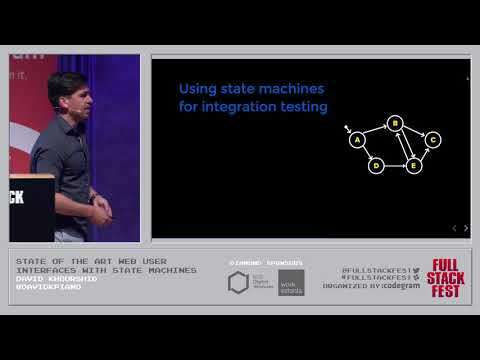
It's still going to perform the behavior that I expect because of the natural way that the transitions are defined. And then, finally, we could just have the correct password. So they're very useful in the animations too, and that's why in the key framers that we do weekly, we use finite state. Machines, but I, I don't want to present finite state machines and statecharts as just another way of writing your state, because there's already a thousand ways to do that. But instead, I want to show you that you could use these to generate integration tests, which are some of the most painful tests to write, but some of the most important as well. Because if we represent our application as a graph, then we could trace through each of the states. It's just like, you know, Google Maps or something where you're just following a path until you get to your desired state. And so you could do something like shortest path algorithms to find the shortest path from your initial states to any of your other goal states.
And so these, these represents the other happy path that your user could take, and these could also be automatically generated. You know, given one of these algorithms, you could also use what's called gorgeous hair. Sorry. Simple path algorithms, and what these do is they just make sure that you don't visit estates twice, and so that's going to generate a lot more paths. And so this is gonna be good because this is going to show you all the possible edge cases that a user could take through your application. And one of the criticisms of this is that it's going to generate a ton of different paths. But in my view, that's sort of the point. You want to capture every single possible thing that could happen in your application. And then you could use these to automatically generate tests. And so, you know, we can manually test a code, right? Or we could, like, write to hundreds of, you know, unit tests and integration tests by hand.
And this is sort of where we're at today. But by modeling our software and our user interfaces, we could actually, woah, I'm not done yet, why'd you go there? Hold on, don't look, close your eyes. This state machine is broken. Alright. Well, yeah, so you can generate tests, that's a point. You could also use state machines for analytics as well. And so I did this in the previous project, where if you use via SlideShare or visual Studio code, live share. Then I traced, I added telemetry, where we modeled parts of the application. As a state machine, and then we were able to trace what are the most common paths that the users took, and so we could visually see through this generated D3 diagram, we could see which are the states that users most commonly visited. And we could see if users are running into errors.
15:00 State so using state machines for analytics is also really interesting
And then we can narrow it down by what type of user is running into error. What are they doing before they run into this error? State so using state machines for analytics is also really interesting. Because when you have these weighted diagrams, where these weights represents just more people going from, you know, state A to state B to state C. Then you could start to see a sort of desire path where it's obvious in this diagram that people wants to get from state A to state C, but unfortunately, they have to go through the step B. And so, instead, we could analyze this and conclude that it might be a good idea to provide a transition from state A directly to state C. And that improves the user experience. So software bucks are also made very, very clear by looking at diagrams, whereas they might not be as clear in code. So, for example, this simple, you know, finite state machine for modeling a loading request. There's one problem with this we did not model what, like what happens if there's an error, so we add an error state.
And then we do this. And then we realize that. You know, when we're in this failure state, what's supposed to happen is the user just stuck there, you know, forever. You wonder why IT people say, restart your machine, because this happens, and you're stuck in this failure state, and you'll know what to do. So the only thing you could do is restart your machine. Instead, we should provide affordances for the user to go ahead and retry the request. Now, one important question is, does this kind of software modeling scale? No, but it's still a good idea. This was solved, though, thankfully, 30, 30 or so years ago, by a formal formalism called statecharts. And what statecharts are? Are these finite state machines? But extended, where they solve all of the potential problems that we're going to see with just modeling your software is. Pure, finite state machines, so statecharts introduce the notion of actions because your software needs to do things it needs to.
For example, when you enter a state, you might have actions, or when you exit a state. There's also the idea of guards, where you should use these sparingly, but they sort of guard transitions, making sure that certain turns Asians only happen when conditions are met. There's also hierarchy, so you could nest these state machines inside each other, and so they exhibit the behavior of their parents. Where if you're inside of a child states then the event goes to the child state first, and then if the child can't handle it, then it goes to the parent. If you know that sounds familiar to you, then it's exactly the same idea as events bubbling and propagation. There's also orthogonal it.t, which I hate using that word, that's just to make people sound smart. This is just parallel states, states that happen at the same time, and there's also the idea of history states, which is extremely useful because dealing with history is hard. And yeah, so here's an example of where parallel state machines can come into great use.
Let's say that you're trying to model a tool bar for selecting a font style. Or you could choose bold, italic or underlined, and you could toggle between each of those. If you were to model this as just a finite state machine, you would have to go through the. You know, you have to multiply, like the bold states, plus the italic states, plus the underline states. And so you get eight different states as another one, like, strike through, and then you get sixteen, and then it exponentially increases. So instead, we could model our diagram like this, where we just have these orthogonal regions. And we say that these states don't affect these states, and these states don't affect these dates. And so this scales much better than having that Cartesian product of states. Hierarchy is also good for simplifying state machines as well, where something like this could get complicated really easily. But we see that their shared behavior between success and failure states.
So we could just have a shared state called searched, and then from this search state, we could have a search action that lets the user. Retry whether they're in this success or failure child state. So I created this library called XState, which allows you to creates these state machines. And it uses the exact same structure that I showed a few slides back that required no library. But this allows you to add things like actions, guards, hierarchy, parallel states, and also history as well. And the way that it works is just like, you know, we showed in the previous slide. We have a transition function, and that transition function is just like, for example, your Redux reducer. Where you have a state, you give it an event and all it does is return you the next state. So it's a pure function and it's up to you to decide what you do with that next state. But apart from the next day, it also returns to you which accidents you should execute.
Which is extremely helpful because if you take a look at Redux, Redux only gives you the next state. And that doesn't do much because you want to also be able to execute actions. And that's why we have all of this middleware, like Redox Saga. Every looks observable, relax, thunk in order to deal with these side effects and so on. This just naturally gives you the actions in what's called declarative side-effects. So here's an example using XState, where I have that machine modeled right down here.
21:00 Even though you have that initial complexity of designing your application…
So I have this JSON object, and so this JSON object represents the behavior of this application. It's sort of like a weak designer. Where you have like Sunday through Saturday. And you could sort of select days. Let's see, select days, you could drag them, delete them and make your Sundays really long. So this is based on an animation by Gal Sheer, by the way, and I really wish that something like this existed. But yeah, so there's a lot of advantages to using statecharts, especially over state machines. For one, NASA a few years ago, actually, many years ago, when they were designing the Mars Rover and they needed to launch it over to Mars. They used a charts extensively to not only model the software, but also to generate the tests, generate precise diagrams so that they could share with stakeholders, generate code. Actually, which, you know, is a little bit of a scary. Thought. But it makes sense in terms of getting as fast code as possible and also accommodating lates breaking with prior Mints changes. I mean, these are the things that cause you to stay past five, you know, up until ten eleven.
Midnight's just working on these last-minute changes that are requested because your application is so complex that you don't know what changes are going to affect what. But when you have a clear diagram, it becomes much easier to do so. Of course, there are disadvantages to. For one, it's a learning curve. Learning statecharts is not really the easiest thing in the world. Especially if you try to try to read the historical papers on it or the Wikipedia entries as well. And modeling requires planning ahead. So that means, like you, you can't go into hackathon mode doing this. When you want to design your app as estate charts, then you have to sit down with pencil and paper. Not, you don't even touch your computer, don't touch your keyboard. Just start drawing boxes and arrows and model your states and transitions like that before you even start coding. I know a lot of you like to just jump right into the code and start hacking away.
And this sort of forces you to do the opposite and to model your software first. But in my view, there are complexity trade-offs. You can't really see the finite state machine, but that's the yellow line. And so that starts off. Very simple, as we saw, but we, we also saw that increases in complexity exponentially using the bottom-up technique. The more features, and the more complexity we add to our app, the more the code becomes complex. However, with statecharts. Even though you have that initial complexity of designing your application, adding features becomes easy, and removing features and also changing the behavior of your app becomes easy, too.
24:00 The JSON structure that you put inside your machine…
Because you could see it this. And so speaking of visually, I do have a stay chart visualization tool called XState viz. And I'll show to you in a minute. But basically the JSON structure that you put inside your machine, you could just copy and paste that into this tool and actually all go ahead and show you. And so that JSON is automatically generated into this diagram. So this was. The the Flickr search engine diagram that we saw before. So I've had to drag a few things to make it look clean. This was what was copied into the machine and then if we go over here, we could actually simulate our machine and be able to play around. And make sure that everything, including the actions and the state transitions, are happening the way that they should. And this is the exact same code that's used to power our application. So so, there are places that are using it, which I was really ecstatic, you know, to find out using XState and the visualization tool.
One of them by Ryan Florence. You might know him in the React community, he has a site called workshop me. He has a pretty complex payment form and he decided to model it using XState. And what was really cool was I found this out on Twitter. I immediately went to the site and started searching through the minified code for this JSON structure. And I copied it into this tool and I was able to visualize it just like that, and so I was excited about that. And then something that I discovered literally two days ago was this tool called Vault dot IO.
26:00 Where two requests have to complete…
I think it's called our Vaults project. I, Oh, and this is made by Hasha Quark, the same company that does Vagrant. And so what they did was they have an interactive tutorial on the right hand side that, depending on which state the application is in, it shows contextual help for the user. And helps them decide you how to accomplish their goals, which is really, really, really cool. But I am releasing a version 4 of XState, which has a whole bunch of new features. Such as external states, and so this was a really big one. External state is sort of the state that doesn't fit in your finite states, it's sort of those dynamic states. Thankfully, this is also. This is also modeled by a speck, a speck that was created almost 10 years ago. And so it allows you basically to do the same thing as Redux or Mob X or anything like that. I'm also introducing like delayed transitions in events for you to better model, like what should happen after a certain amount of.
Time and also an interpreter. So with XState, you could model your state machines in, say, charts, any way you want. And so that includes. You could use RX, you could even use Redux or Mob X to interpret the state machine. But I also have a built-in interpreter where all you have to do is pass it in the machine, initialize it and then start sending it events. And then you could listen to those day changes. There's also SE XML conversion, so by the way, this is in beta, so it's you install that XState at next, so it's not final. It's not version 4 yet, but one thing I'm working on is Exia SE XML conversion. And so this is not really a human readable format, but it is a standard, a W3 standard that's used by big software tools such as QT and Yak. In Du, which both of them have nothing to do with JavaScript or the front-end.
But it's really cool where you could make things and model your application logic in XState. Have that converted to SC, XML and then use it in languages such as C, Sharp, C++, Java, Python, and more. And also there's the idea of final states as well, so if you ever wanted to model things like promised at all. Where two requests have to complete, and then once they both complete, at whatever time they complete, then you send a signal that says, Hey, all of the requests completed, and that's what final states are good for. So I have a bunch of resources and tools here. But I wanted to show you a quick demo, which this is gonna go terribly wrong, but I'm excited about that.
29:00 I mean, from the integration tests…
So I created a simple tic-tac-toe machine game that models a you know what took tac toe game. And you might be thinking, Okay, this is. This is a pretty simple application you've probably made it before, and I just want to do it too. To demonstrate both some of the new features of XState. And also why you should model your software because of the other advantages that just maybe just using Redux or RxJS or Mob X can't provide a loan. So I'll zoom in here. We have an initial playing state, which means that we're starting in this playing state. And on playing, when the user plays we, we transition only if it's a valid move. And you'll see that these are strings for a reason. And of course, we have an action of updating the board, which is our external state. And so this is going to loop and loop through this play state, which will visualize soon enough.
And every time it goes through here, we check if there's a winner or a draw, and so you might be thinking, how is this going to work? This is all JSON, it's all strings. So we have a winner state over here, and that's where we set the winner and then we have this draw state. So here's the magic. We have these actions over here. And this is one of the new features of X8 version 4, where we have this assign action. Where, for example, updating the board, we. We set, you know, this array of nine values because tic-tac-toe is nine squares. So we set the events value to the player and then we return the board. We increase the number moves made and I'll show you why that's important, and we also set which player is next. So if it was X, now it's a and other way around. And then set winner is simple enough, it just sets, you know who was the last player than the other players, the winner.
And then we have these guards like checked win, where we're just, you know, doing a simple checking each row, each column. Things that you would normally do if you were creating this on your own. And so we could see this, this machine, or, sorry, this actual game running over here. It's a React app and you're not going to be impressed by this at all, but it's it's a tic-tac-toe game and, you know, it actually works. Which, okay, I did a trial there. If you look on the bottom right, you can see that. Because I'm all this. As a state machine, I could actually visualize this is a terrible player I could visualize. You know what the state is and what the external state or the context is, and all of that. So you might be thinking, Okay, the visualization stuff is pretty cool, but is that really all that you could do?
So I'm glad you asked even. Though, none of you asked that because I'm gonna show you. Because this is a graph, a directed graph. We could analyze this graph, and not only could we analyze it, but we could parse it and generate the things. I was talking about. Shores paths, simple paths, weighted paths, things like that, and so I'm doing this over here, I have this get shortest value paths. And the reason it's called valley passes because I'm including the external state into these paths. So over here, I'm filtering them by if there's less than five or lessen, or equal to five moves. And that's just so that we don't get a huge, huge number of paths, because this does generate a lot of paths. And then I'm filtering, I'm looking for the winning paths, so I'm looking for where the value is winner and the winner is X. And so this is just a very simple filtering. We're taking each of the path and we're narrowing it down then from each of these paths.
I'm running Puppeteer and I'm mapping this play event to clicking in actual square based on what the event is. And so we could see if it works. That's automatically going to generate every single possible path where X wins in lesson five moves. So, I mean, if you want integration tests, how about a few hundred automatically generated for you right there? And so you could see how you could apply this to more than just, you know, a simple game, okay, let's with that. And so, you know, you could, you could create tests where you could say and context. Dot board zero where X is not the first square, right? And then so it will regenerate those paths, filter them, and make sure that it chooses paths where X is not the first square. And I'm not giving it any special logic, telling it this is how it took. Tac toe game is played. It has no idea, all it knows is this is a state machine or statechart.
And I'm just tracing the paths, trying to find the goal path that you want me to find. And so you could see that it's very easy to create integration tests just based on that. So I guess there wasn't that many, so that's good. So anyway, my goal here is to show you that your code can do more than just run your application. Your code can generate tests, it can improve your user interfaces and make them more robust in state of the art. So thank you so much, Barcelona. What I saw was that there's this additional thing which people may not be initially familiar with, which kind of formalizes what's happening in a stateful user experience. And because we had this formalism, we were able to build some tools on it. Much to draw a analog to, maybe something like type checking or something where you can do some automated things. You gave us an example, the integration tests that have been that gave you an additional sort of affordance for it.
Could you maybe give an idea once someone gets into it, when they get familiar with it? Some other surprising benefit they may not be expecting from being able to work was with statecharts. From your own experience, maybe not the first thing, but after Sarder, you get going with it well. I mean, from the integration tests, like what I saw was something I didn't mention is that the integration tests are using the exact same machine code, right as the actual application. Which means, I mean, you all know how painful it is to write integration tests, changing even one single little feature, or, you know, adding something new in your app, can invalidate all of your integration tests. But with these, since they're automatically generated, they're just regenerated again. And so something I'm working on and doing research. Sorry, you mean that you make a change to the code and you don't have to manually change all 500 integration tests.
I'm sold, oh, there, I'm so updated. But also the analytics part of it, to where you're analyzing, going from state to state. I remember manually making those funnel charts where you had to painfully like, do those? You know the Google analytics for every single possible path. But with this, it's automatic. And then you could visualize, like, where your users are going to most and how long they're taking between each states. So, you know, I'm gonna be a hero to my user experience team and my marketing team at Pager Duty if we adopt save charts for a user experience. Yeah, I was already. Sold. Why are you keep watching this? All ignite? David? This is really great technology, folks, look this up. I have done some research into this. I was very impressed when I saw it before. This is the kind of thing which is literally a step ahead of where we go when we first. You know, when we first started writing programs, people just made stuff, had go twos. Then we developed structured programming, we developed functional programming, object-oriented programming, each step along the way taking us to a new level.
I feel like in user experiences, this type of technology is again one of those advances that helps us move. Asked, a sort of less, more primitive state. Thank you so much, thank you. [Applause].
Related talks
-
State of the Art User Interfaces with State Machines
Craft Conference 2019. 45:05, 2.5K views -
XState: Making Application Logic Visually Collaborative
Norfolk Developers meetup, 2021. 44:05, 1.2K views -
Simplifying Complex UIs with Finite Automata & Statecharts
JSConf Iceland 2018. 34:28, 20K views -
Making Application Logic Visually Collaborative (Infobip Shift)
Infobip Shift 2021. 27:18