Goodbye, useEffect
Watch on YouTube (BeJS)
What is this talk about?
From fetching data to fighting with imperative APIs, side effects are one of the biggest sources of frustration in web app development. And let’s be honest, putting everything in useEffect hooks doesn’t help much. Thankfully, there is a science (well, math) to side effects, formalized in state machines and statecharts, that can help us visually model and understand how to declaratively orchestrate (From the video description.)
“Dan Abramov even said that the mental model of useEffect is synchronization, not life cycle.”
“The declarative approach with useEffect looks more like this when something happens.”
From the opening of the talk.
Key takeaways
- Dan Abramov even said that the mental model of useEffect is synchronization, not life cycle. 3:00
- You should not be setting state, or at least you should avoid setting state inside of useEffect, and also don't forget that dependency array, it's extremely important. 14:00
- Instead of useEffect and summary, you should either useQuery, or use a hook like that, or use a framework, or, use another hook. 19:00
- Instead of this, you could just put it inside of a side or a side effect inside of the event handler, so this is on submit right over here. 22:00
Quoted from the transcript.
Full transcript
From YouTube auto-captions. Punctuation and capitals were restored automatically. Technical terms were normalized; some errors remain. 4,942 words.
0:00 Introduction
All right, hello everyone, hello React. BRUSSELS it's been many years since I've been in Belgium, so I'm so glad to be back here again. This is basically going to be a crash course where we are going to learn the right way to useEffect and saying goodbye to all of the other useEffects that we really don't need in our application. So buckle up, we are, we are in for a ride. Hopefully you will learn a lot of things today, but first of all, I'm extremely happy to be here. Who's happy to be here at Reacts Brussels? Yeah, all right, who's, who's a little sad that, you know it's? It's ending so soon? I mean, we, we had. We had a lot of amazing talks, like some of my favorite talks today. How many of you feel like this? Have you seen this smiley before? This? is the frustrated React developer smiley. So yeah, so of course, you now I. I learned hooks. I, I.
I was actually fortunate enough to get a preview of hooks when they first came out, and they all looked really interesting. Except useEffect. I'm like, all right, that's going to be an interesting one. And then, you know, people started saying, Okay, useEffect, I have an effect, this is where it goes. But then the problems kept creeping up. And I'm sure in your code bases. If you're using React, you know, you might have some really nasty useEffects in there. But if you're struggling with useEffects, don't worry. Even senior React developers struggle with it. If anyone tells you otherwise, they're not making, you know, good enough React applications because you do need useEffects in your application. And you might have this big, nasty dependency array. And if statements, it's all very typical, it's just a really awkward hook, all right. So, typically this is what our, you know, useEffect looks like. We have a useEffect, it does something, we have a cleanup, dependencies.
All is fine. You know, it might have worked before, but then, guess what? React 18 came out and it rendered this again, so it ran the effect twice on Mount in strict mode. How many of you have actually ran into that, or is that just a me problem? Okay, a bunch of you. So, useEffect. If I were to summarize this talk in just one slide. It's not for all effects. In fact, I would say it's even confusingly named. It shouldn't be used effect, it should be used synchronized. But we're going to be talking about that in a minute. So what was life before? Like before? useEffect? Well, we had, component did Mount, component did update and component will unmount. And these were all convenient places to put your effects, especially the effects that were long lived, inside of your class-based React components. And so when we move to hooks, thankfully, we, we need to figure out, okay, I have these place these effects in my life cycle hooks, so where do they go now?
Well, we put all of our component did Mount effects inside of this one. With an empty dependency array, we put the ones where, it happened on component did update in a non-empty dependency array. useEffect and then this awkward looking component will unmount, it goes in useEffects with this return function, and this just looks really, really awkward. So I want to say, first and foremost, that useEffect is not a life cycle hook. And while you could use it that way. And it is expected to run at the exact same time as you mount your component, unmount and change. It's not the way that you should be thinking about things. Dan Abramov even said that the mental model of useEffect is synchronization, not life cycle. And so we're going to be talking about why exactly that is all right. So, you know, we have our useEffects, we have the effect in there, we're doing something, and the dependency array, it's, you know, this is when that effect is going to be executed.
Now. React is supposed to be this declarative framework, but honestly, this might feel like, okay, we're doing our effects in a declarative way. But in reality, there is a ton of indirection over here. So take the imperative approach first, like when something happens, like an event, or, you know, something else, a button is pushed, a form is submitted. Execute this effect. You might be looking at this and saying, Okay, that's the imperative approach. The declarative approach with useEffect looks more like this when something happens. And, you know, it causes a state to change, then, depending on which part of that state change, which is the dependency array. This effect should be executed. See how it's more declarative, right? But only if some condition is true inside of my useEffect. Also, re may execute it again for some future reason, but only in strict mode, which you shouldn't disable for some future reason.
So, I mean, honestly, whatever your opinion is on imperative versus declarative, I prefer the imperative approach, and you could express it in this imperative approach in a declarative way. We'll be talking about that later, too. But some of you might be thinking, you know what? I didn't really have a problem with useEffects, like, I just do something, I return a cleanup and I put things in my dependency array. Everything is fine. But the more you add features and changes to your application, your useEffects start to look more like this. Where we have a bigger dependency array, we have multiple useEffects. We forget the clean up and we have this nasty conditional in here and we're doing things depending on what's inside there. So we're trying to control the fire hose of changes happening so that our effect happens at exactly the right time.
6:00 When an effect happens, you're changing some states…
And I've seen this code all over the place. I've, searched source graph for examples, and there's just plenty of examples. This is a particularly nasty one. And so it really, it. It really showed me that dependencies are really the wrong mental model for effects. We want effects to execute when things happen, not exactly when things change. So let's get back to the original issue. React 18 running effect twice on mounts in strict mode. How do we fix this? And, first of all, why does this happen? So React is actually doing this on purpose, behind the scenes. It's not a bug or anything. It's mounting the components, and then it's doing a simulated unmount of that component, which is calling the cleanup of the effect, and immediately afterwards it's remounting, the effect. So, you get your double execution of the effect, and so, you know, when I first ran into this, I, I was like, this.
Is a bad hook? It's used defect, you know it? It feels like a major, major foot gun. But honestly, this was React's way, at least React 18's way of telling you, Hey, you're using the useEffect hook, wrong? So what is used effects for? It's for synchronization, and so there's a difference between fire and forget effects and synchronizing something in your component with some outside source. So, take this example, we're synchronizing with some external API, some store API. So that, whenever the item, changes, we're we're getting this item data and we return an, an unsubscribed function. And this is going to change whenever our item changes because we need to unsubscribe to the old item and resubscribe to the new item. Now, doing something like this means because you're just keeping track of some external thing. We could UNS subscribe and resubscribe multiple times. It doesn't matter. It's like watching TV. If you put on the news, you could turn the TV on and off, you could change channels, you could go back to the previous channel.
That news channel is still going to be the same. So that's sort of the mental model that you should be thinking of. With useEffect. The React documentation distinguishes between effects and event handlers, so, when React is, talking about effects with the capital e, they're talking about longlived effects. So these subscriptions that I'm talking about when, we're talking about fire and forget effects, reacts in the docs mentions that as event handlers. So here's the difference a fire and forget effect. You don't care what the result of this could be a console log, an analytics call. Maybe you're sending some data asynchronously, but you're not awaiting a response. A synchronized effect is when you're actually communicating with an external system, so this effect could actually be long liveit. And so that's why it's fine for it to unmount and remount. Because, just like changing channels on the TV, you are just changing, you like, you're changing the subscription, but you still get the same values.
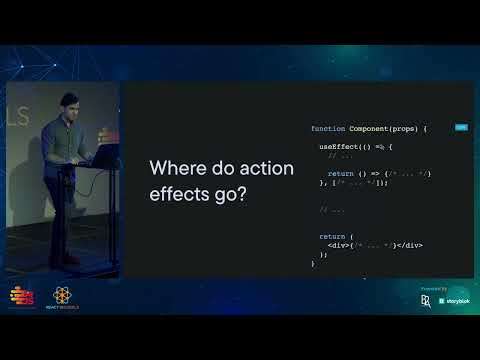
Okay? So where exactly do the action effects? those fire and forget effects? where exactly do those go? We know that, you know, we shouldn't really be putting side effects in render, even though in some instances it's actually. Okay, but let's just assume that you can't do that. And we already know by now, hopefully, that putting it in useEffect is awkward. So where, where else do we have space in this function to put it? And don't say the gap between that, because I just forgot to fill that in outside the component, maybe let's explore this. So when we when we mentioned that, that the that useEffect is going to run twice. When you mount a component, here's what's happening. We're attaching that effect to the component, mounting and unmounting. So when an invent handler causes a state change, that is going to cause the component to reender. But also remember that Reacts can remount that component, and so this effect might be executing multiple times.
So if we put it outside of the render, say over here, it doesn't matter how many times that component, unmounts and remounts, and how often React re-executes. That useEffect the effects that we put outside of the component rendering and outside of useEffect is only going to be executed once. So these action EV effects should actually happen outside of rendering, so then where exactly do action effects go? Inside of event handlers? At least, sort of, so we have this submit data inside of this form onSubmit event handler. And this is actually going to be a much better pattern than trying to do this in a useEffect, and we're going to see an example of this shortly. So by doing it this way, you have this pattern of when an event happens, an effect is executed. And so, if you do it using useEffects, then this is the mental model. When an effect happens, you're changing some states, which can trigger an effect because that effect is listening for a state change.
And especially if you have multiple useEffects, other states may change. And you get a chain of triggered state changes, which might trigger another effect. And this becomes really, really hard to visualize, really hard to think about, all right? So everything I'm going to explain, including when to execute action effects and, when to, use useEffects. This is all actually explained in the new React docs at beta. React.js Dorg. When I first started giving a talk, like. This, these actually did not exist, so I'm actually really thankful. If you go to the normal Reacts Js.. org documentation site, they have a nice Banner on top that points you to beta. reactjs dorg. I really encourage you to visit it because there's a lot of great information in there. And one of my favorite sections is you might not need an effect. So, I'm going to explain to you all of the different points that they make.
First one is, you don't need a useEffect for transforming data. I mentioned useMemo here, you don't even have to useMemo. So let's take this example. We have a carts. We're keeping track of the items, we're keeping track of the total, and so whenever the items change, we have to update the total. Right? Your first thought might be okay, that's an effect when items change, set the total to the new number of items. But guess what? You could do this directly inside of, the inside the function. So a derived value is just you're reducing the items, or if you don't want to use reduce. You could have a function that just calculates the total price, but you could do it directly inside of the components, and if this is an expensive operation, and only if it's an expensive operation, you could take this. And you could put it inside of a used memo if you really want to, don't overload your components with used memo.
Because, you know, you're basically trading performance for memory. And yeah, only use this when you really need to, when you have expensive calculations. But, yeah, you don't need useEffects to calculate derived state, and, I actually ran into this problem. Like, basically, whenever you see a set state inside of a useEffect. It should be sort of a warning sign to you, especially if this happens. I've had this happen before, I've had it happen with a fetch, which is really terrible. Because, you know, that makes a million API calls. So much that React has actually had to add a warning saying like, Hey, this is rendering a thousand times and you're probably doing something wrong.
14:00 Sometimes we have this pattern where we have onopen and on…
And so that's why, you know, some people think that the default behavior of useEffect is. An infinite loop? But, this is now mentioned in the beta docs that this is actually a pitfall. And you should not be setting state, or at least you should avoid setting state inside of useEffect, and also don't forget that dependency array, it's extremely important. All right, right. Second thing, you don't need useEffects for communicating with parents. So, sometimes we have this pattern where we have onopen and on close in the parents, and so depending on the state of something, we are calling onopen or onclose. So the problem with this is that you. You might be accidentally introducing additional renders because, the useEffects because of a state change, it's rendering. And then it is in the next, the next cycle. Like when useEffect is called, it is telling the parent to do something, which might tell the component to do something.
So you might be introducing additional renders inside of there. So a better pattern to do is move these effects, like onopen, onclose, so these fire and forget effects move them closer to where the state change actually happens. So I'm calculating if it's going to be open or if it's going to be closed. I'm keeping track of state, which I might not actually need to do here. And then, depending on whether it's open or closed, I call directly. In the event handler, this toggle View event handler on open or on close. And, you could. Also, when you do that, you could easily refactor it to a separate hook. And then you have this nice used toggle hook that you could just use directly in your component. It's a much, much simpler way to, to express that logic and to contain it in a in a in a hook. All right. So, third thing, you don't need useEffect for subscribing to external stores.
So I know what you're thinking like. I just said that this is the one thing that you should use useEffect for, and it is true most of the time. However, there is a really cool hook that was mentioned in the last talk useSyncExternalStore. And, you might think, okay, that's a very complicated sounding hook. And it seems like it's for advanced use cases for library authors, but it actually. Makes things a lot simpler. So, going back to a previous example, where we're subscribing to a story API. I'm checking for the connection status, and, I'm setting is connected. Which, again, if you're setting state over here, it might be a warning sign that you might be able to refactor out this useEffect. And so I'm subscribing to it, then I'm calling unsubscribe and I'm reading data from this, store API. So instead of doing this, I could use the used sync external store hook.
And it actually makes a lot simpler. Because we're getting is connected from this snapshot over here, this door API. getet status, and we're reading whether it's connected or not.
17:00 An Next.js has something similar with get server side props…
So this is going to be a Boolean. We, pass in the subscription function, or the function that will actually subscribe to the store. And, uh. We also provide a server snapshot so this could run, on server side rendering. All right, this one is actually a big one because this accounts to, like so many of my previous uses of use. Effect. Which is fetching data, we think, okay, I need to fetch data, I need to call an API, so I'm just going to stick it in an effect. But the better way to do this is actually render as you fetch. So here's an example. You all have probably seen this a hundred times, where we have to do this weird dance of, having a cancellation flag. And then we get our items and you know if it's cancelled. So if we navigate away, or we don't don't want to call this promise anymore, we're going to ignore the response from that promise.
And then we set the items, which again, if you see this in the useEffect, it's a warning sign and then we return. This cleanup where, if anything, changes is canceled, is true. Also, I forgot the dependency array. I legitimately forgot it. I just realized that now. So this is a very, very bad useEffect. All right. So what are some Alternatives? Well, like was mentioned in previous talks. Remix has a great API, so long story short, Frameworks use whatever the Frameworks provide you, and if you don't have that, then useQuery works well, too, but, with Remix you could define a. Loader function and, you just get your items and that's going to be available to your component immediately, you don't have to do that. useEffect. An Next.js has something similar with get server side props, so you could just await get items in that function and return it as props over here into your actual components. And so React query I'm sure a lot of you are using REA query.
19:00 The point of it is that you don't need to put…
It's an excellent library, it's not a state management library, it's not even a fetching library. It's a caching library that works really well with fetching data. So, in this case, I'm actually doing prefetch, so I'm prefetching this data, I'm populating it in, and then I'm reading it. So, um. Instead of useEffect and summary, you should either useQuery, or use a hook like that, or use a framework, or, use another hook. That was actually recently, it, it's not out yet, it's it was recently announced, it's used, just use. So I, I'm serious. You might be thinking, like, what kind of hook name is this? I mean, it's a legitimate hook name, but it is actually an RFC first class support for promises in Asing, Kuwait. And so this is actually probably maybe going to be the future of. Using suspense inside of React, so basically you would fetch a post, and you would have some sort of caching mechanism, which React is still trying to figure out.
But again, this is how used query uh. Works under the hood as well, and so this is going to automatically suspend your components. So, use. It seems really cool. Terribly named, but you know, that's the future, all right. And so Danny Brov actually said there's a lot of problems with fetching and useEffect. You might have race conditions. No instant back button. So basically, when, go back to a page, you have to load that data again, no initial HTML content. When you render your page, you're going to see a lot of nasty loading Spinners and also chasing waterfalls. So if you're fetching inside of your parent component, you have to wait for that, and then when your child component renders after that's done fetching, you have to wait for that. It gets really annoying. There's also the fact that. You don't need to useEffect for initializing Global Singleton. So, for example, we know that this is now going to run twice, so instead of it, running twice.
We could use a rep to track whether it was called or not, but that gets really annoying. And so we could, you know, just move that ref outside of the component. Especially if you're running this effect inside of, the root components, but you're still using a useEffect. So instead, honestly, just call it outside of the component. There's really no harm in it. Now, you might be, you know, saying, what about server side rendering? What about testing? Just move it into a function. The point of it is that you don't need to put everything inside of a component. And so, finally, the one that I really want to get into. You don't need to use useEffects for handling user events. So, like we talked about before, this is submitting logic when we submit a form. It looks very similar to the promise example, except now we have extra variables for whether it's loading, whether it's canceled, we also have to keep track of errors.
Instead of this, you could just put it inside of a side or a side effect inside of the event handler, so this is on submit right over here. And this, you know, it also gets pretty nasty. So that's why I would say that when you are working on logic like this, you should extract it out to a hook. And so my favorite hooks are of this form. Where we get the states and we could also send an event. Some of you might know me because I created XState, this is how XState works, this is how, Redux works, this is how used reducer works, and it is a very, very useful API. Because all of our actions and events that happen are reduced to a single line where you're just sending an event object. So it makes things very clear and very easy and succinct. And so I'll actually give you a really quick demo of this, including, like, just a, you know, a useEffect demo.
So this is an example application, and here's how it works when I click the video.
23:00 When we're in full mode, whether the video ends or you…
It opens and plays, when I click outside of it, it closes, and when the video is finished right now, it immediately closes. So, right now, actually in the back. Can you all see these useEffects over here? Can you read them? I, I, I can't read them either because there's too many of them, and, they're really, really complicated. So, I, I have a bunch of useEffects here. This one is controlling whether the video is playing or paused, this one is controlling whether the video has ended. And, you know, we have that nasty if statement in there, uh. And this one is controlling whether we have pressed the Escape key because I could press the Escape key and close it. Now. I also want the user behavior of when the video ends, I want it to wait two seconds before closing. And so that's probably going to be another useEffect. We need to add code to, you know, all of the other three, three useEffects, just to make sure that we're handling those correctly.
And we're not closing it prematurely. So, instead, I want to show you, by ways of diagramming, how I would model this instead. So here, right now, we have the behavior where we start in the mini state, where our video player is nice and small. And on some toggle, we transition to a full state. So, you know, we just talk Le back and forth, we could toggle like this now in the full states. This is what I mean by declarative effects. So, in full. When this is open, I actually want to play the video, so I'm just going to add this as an action like that. Let me zoom in and when I exit the full. So, when I go from full to Mini, I want to pause the video because the video might not be done, so I just want to make sure it's being paused.
So this, it's sort of like a flowchart, you could Envision how it works. Like we're Mini, and then when we click, we're in the full mode, where we see the video playing, and when we toggle, we're back to Mini. Now, there's a couple of other things that we could do, so, I'm going to add an. Invocation. And so basically, we're going to add some listeners. This is going to, listen for whether the video ended or not, and I also want to listen for, or actually before that, I want to do this. So we are going to also add events for video ended, and we are going to add an event for key.. Escape. All right, so this is our logic so far. So when we're in full mode, whether the video ends or you press the Escape key or you click outside the video, it should go back to Mini and it should pause the video. So, you know, that makes sense so far. So, I actually also want the additional behavior of when I'm in the full states.
Like, let's just say that this is playing. I also want to, wait for two seconds. So how can we do this in like this diagram? So I could just, you know, have a state for when it's stopped and I could move. This video. ended, I'm going to move this over here, drag it a little. And so when the video stops, here's the logic, and this is logic that you might be sharing with a designer or a project manager. That when the video stops, I want to wait for two seconds, so oops, let me reload that real quick, all right. So I want to wait, huh? Weird? I want to wait for two seconds. So here's how we could do that, pretend you didn't see that, all right. So after I'm going to do two seconds, I'm going to transition to Mini. So if you're trying to explain this logic to someone, you could simulate it here and say, we're going to toggle to full.
And then when you press either toggle or key Escape, it goes back to Mini. But when the video ends, then after two seconds, we want it to close and go, back to the mini state, where the video is paused. And it's, you know, where we're no longer seeing the full video. So a couple of other things I have to add in order to listen to these events key escape and video ended. I need to, add some invocations, so video ended, and also, key Escape. So basically, we're listening for these. Two things to happen, and this is our complete logic for how I want this to work. Now, I only have a minute and 44 seconds, so let's see how quickly I could live code this thing. In fact, actually, I probably don't have time to do that, so I am just going to copy the code over here.
And right now, this is not working, no magic tricks. Okay, not working. So I'm going to go here. Paste this machine in. This is an XState machine. And oh, I, I forgot something, actually. It literally says David, don't forget this. So, oops, all right, don't clap yet. All right, so we. So, when I click the player, I have to send the toggle event and that's all I have to do. So, hopefully this works. If I click here, if I click outside, if I click here, if I press escape, and if I click here. And I wait for the video to end, give it two seconds, one, two, close, there we go. [Applause] all right. So this is now available at St. Studio. And we, we actually released our V1.0 today, so please check this out if you if you want to. But yeah, I'm really excited that we have this out.
So, in short, just to summarize, because I have 20 seconds. When do effects happen in these state transitions, where an event is occurring, and then you model that as an effect? So where do these action effects go inside of these state transitions, which most of the time happen to be executed at the same time as those event handlers? So, in short, useEffect is not for all effects, it's for synchronization. State transitions are what trigger effects. Action effects go in event handlers. You should render as you fetch, and also it might be nice to model effects with state machines. So thank you very much. React Brussels.
Related talks
-
Goodbye, useEffect (ReactNext 2022)
ReactNext 2022 (Israel). 30:27, 10.6K views -
Using useEffect Effectively
React Advanced London 2022. 24:23, 7.5K views -
Adiós, useEffect: Managing Effects More Effectively
React Alicante 2022. 42:29 -
useWat
React Rally 2023. 32:41, 2.7K views