Effective state machines for complex logic (Effect Days 2024)
Watch on YouTube (Effect | TypeScript for the AI Era)
What is this talk about?
“The reason we do this is because with state machines, you want events to have an effect only in certain states.”
“The entire philosophy behind XState is really the representation of this actor logic as given the current state and the event that you received, you're going to produce a next state, but you're also going to execute effects.”
From the opening of the talk.
Key takeaways
- The reason we do this is because with state machines, you want events to have an effect only in certain states. 6:00
- I want to talk a little bit about the actor model, mostly because I really wish to see this in Effect one day. 11:00
- Be happy to talk your ears off about actors and state machines and all of that. 15:00
- The main point is that you could incrementally adopt Effect pretty much anywhere, especially in XState. 25:00
- When you're modeling effects with Effect, you should be able to declaratively say, this is going to retry. 29:00
Quoted from the transcript.
Full transcript
From the uploaded captions. Technical terms were normalized; some errors remain. 5,038 words.
0:00 Introduction
(audience applauds) Hello. Hi, everyone. Thank you so much for having me here. I'm going to be talking about effective state machines for complex logic. My name's David. It doesn't really matter. No one really cares. So let's talk about Johannes. So the first time I actually heard about Effect was Johannes was sliding into my DMs and saying, I'm having a few problems with XState. He was working on an awesome project called Overtone. And he was working on some XState logic in there. And he's like, I'm running into a bunch of TypeScript issues. Now, this was back when XState was in version 4. So I was helping him debug those and saying, I'm sorry. A lot of things are missing. And so he was saying, oh, OK, well, hopefully the types could get better, et cetera. And so I was actually really interested in the amount of craziness he was trying to do with types because he was running into things where it's like, yeah, I know that this is an issue.
It's a bit of an edge case for us. And not many people run into it. But he was running into these things a lot. And so I was like, what is he using? And so he was using something called Effect. And so I took a look at this. And he was complaining about the types. And so I started complaining to him about, there's no documentation. I can't even help you with this because there's zero documentation. So that really pushed us to finally release XState version 5, which has much improved typings. And of course, Effect now has amazing documentation. So I'm going to be talking about basically the mixture of both of them. Now, when I first learned about Effect, one of the things-- I remember seeing Michael give his original talk. And I thought it was really amazing how basically you could take a complex promise and deal with things such as cancellation retries, et cetera, and just make that really simple and really explicit.
2:00 A user can, for example, in a checkout flow…
Because we know that when you're executing programs, whether they're sync or async, it's not just about getting the output. It's about dealing with everything else too: observability, concurrency, errors, timeouts, et cetera, et cetera. And so this is what I really appreciate about Effect, where it's forcing developers, you all, to think about these problems up front. But let's zoom out a little, because XState sort of operates at a different level of abstraction. So Effect is lower level. XState and state machines are more higher level. Let's say that you have a workflow. And workflows, as we know, are things where you have a step. And then once that step's done, you might do something else. And then once that thing is done, you might do further processing and eventually reach some sort of end state. But we know that if you've ever programmed a workflow, they're not always this simple. It's never just ABC. As Effect would tell you, you would also have to deal with errors.
But there's different use cases too. And this sort of takes it out of that level of abstraction, where you also have to deal with alternate flows. A user can, for example, in a checkout flow, pay via card, pay via cash. Or I don't know how you do that online. Don't know why I said that. But also pay via PayPal. [LAUGHTER] right? And you could also... it's not a directed acyclic graph. It could actually be cyclic. So when you have an error, you might have some compensation logic. Or you might want to retry it. Or if you're going through an alternate flow, you might want them to be able to go back and to do a different flow. And these graphs can just grow bigger and bigger over time as the number of use cases and edge cases in your app grow too. And each one of those flows, like each one of those steps in the flow, can itself be a multi-step flow.
For instance, if you're asking an AI app, like, hey, can you please process this for me or produce some sort of output, likely it's not just going to say, OK, I'm going to just ask ChatGPT and return you the results. It might do some processing on that data. So there might be some sub-steps or sub-flows involved in that. And so things get really complicated. So we know that Effect is really good for the low-level stuff. But when it comes to the higher-level stuff, we need to think at a different level of abstraction and understand all of the different flows that can happen, all of the different use cases and edge cases. And so this is why I have been so interested in state machines. Because not only does it help you make those edge cases and use cases explicit, but it also does it so that you could present it to someone who is either technical or non-technical.
So for example, if you're explaining a flow for logging in, you say that there's two different options. Like, the credentials could be correct, and then you would be logged in.
5:00 A state machine is that state event, state event
Or the credentials would be incorrect, and you would be in an unauthorized state, and then you would need to retry it. How many of you are actually familiar with state machines? You know what they are. I don't have to explain this. Most of you. And if not, just talk to me or say state machines somewhere, and I will run up to you and talk to you about state machines. But yeah, so it maps directly to user requirements. So given the user is logged out, when the user logs in with the correct credentials, then they should be logged in. So it's that classic given, when, then formats that can be easily translated for non-technical stakeholders. And of course, as a developer, you could zoom into the different parts of the state machine and say, OK, this part has to do all of these different things. But these are implementation details that you could compartmentalize in the different parts of the state machine, which is really nice.
Now, making a state machine does not require a library. You don't need to use XState necessarily to make a state machine. One of the most classic ways of making one is using switch statements, where instead of switching on the event or the action, if you've used Redux before, you would switch on the state. So depending on which state you're in, such as the cart state, you then check, OK, which events just happened. So if the event.type is checkout, then we will go to the shipping state. And the reason we do this is because with state machines, you want events to have an effect only in certain states. That's the entire premise of a state machine. You want to make impossible transitions impossible. And of course, impossible states impossible too. Now, I don't really like writing switch statements, so I instead prefer to do an object lookup.
Now, this also does not require a library too. You could do this yourself, where we basically have the same structure as a switch statement. We're just doing it in a more declarative and more serializable way. So you could say, OK, my states are cart, shipping, contact, et cetera. And then we have our transitions. So on these events, I'm going to tell you what the next state in my state machine should be. And then we could just use a simple transition function to get the current state and the event and return what the next state should be. Now, XState takes this to the next level, but it also keeps a lot of things the same. So instead of having just a plain object, we just wrap this in create machine. As you can see here, it's pretty much the same structure. And new in version 5, since we've thought a lot about the typing after Johannes's talk to me, we now have this setup function where you could actually provide ahead of time the implementations, such as actions, actors, guards, et cetera, and also the types for the context and the events that you could provide.
And sneak peek, this is where Effect is going to come really, really handy. And then you could just interpret that machine by creating an actor from it. Now, real quick, a machine is like the logic, the brain inside an entity. An actor is something that is an instance of that machine. So it's something that's actually alive. You could subscribe to it. You could send it events. And of course, you could start it so that it would start processing those events. And so the entire philosophy behind XState is really the representation of this actor logic as given the current state and the event that you received, you're going to produce a next state, but you're also going to execute effects. And this is a huge thing that is actually missing in a lot of state management libraries, is how do we declaratively represent effects? So one of the biggest benefits that I love for using state machines is that this declarative representation can actually be converted to a diagram like this.
And so this is an example state machine for a video player. We start in a closed state. And when you click the small video, it opens. And then we execute some effects, which I'm going to talk about soon. But then in this open state, we actually have nested states. And so this is what's called a state's chart. So a state machine is that state event, state event. A statechart allows you to have nested states, parallel states. So it's sort of like state machines, but with a lot more features. And so you could be playing, in which we execute some effects. And then you could pause it. And the video could stop, et cetera. So we have the idea of declarative effects in statecharts. And these effects can either be actions or actors, which I'm going to talk about soon. So actions always happen on transitions. So for example, if the user presses the stop button, then the stop video action should execute.
Now, we also have entry and exit actions on states, which means that any transition that goes into a state is going to execute that entry action. And any transition that exits a state will execute the exit action. And then there is invoke. And so these are... you could think of them as long-lived actions or long-lived effects. These are effects that you actually have to take care of. You have to babysit. They live for the lifetime of the state. So there are things that could actually communicate back with the state machine. And they're not just fire and forget like a normal action. This is an example of this behavior. And this actually really showcases where state machines are useful for expressing things that might not be just trivial logic. It's easy enough to just show a video player press play, press pause. But if you're needing to model something like this video player should be in an expanded mode until it's done, then we should close it.
Or the user should be able to close it by pressing the Escape key or by pressing outside the video player, then that logic starts to become complex. All right, so I talked about the two different types of effects that we have in state machines. And they are represented in XState. Actions, which are fire and forget. And actors, which are live entities. So I want to talk a little bit about the actor model, mostly because I really wish to see this in Effect one day. So the actor model is actually the core abstraction, the unit of abstraction in XSate. And it's actually pretty simple to understand. So in the actor model, an actor performs all computation. So it's not performed outside each unit of computation or sorry, each unit, which is the actor, performs all of the computation.
12:00 You create the actor from the logic
Actors can communicate through each other only through messages. So just like I can't read your mind, an actor can't read another actor's internal state. It needs to communicate through via a message. And so in response to these messages, an actor can change its state or behavior, which is pretty much interchangeable. It could send messages to other actors. And it could create a finite number of child actors. So an actor, if you've used Redux or another state management library like that, you know what a store is. A store is something where it contains its own internal state. And you could send it an event. And it will update its state. So an actor is like a store. But that store could create other stores. And that store can also talk to other stores. And like we'll see soon, the store can actually execute effects too. So just to bring this into more human terms, let's say that I'm at a cafe.
And I order a cafe. So I'm an actor. And I'm sending a message to the barista saying, I would like a coffee, or the cashier. And the cashier would tell the barista, OK, they want this coffee. The cashier would ask me for euros. I would give them euros, I guess. And then they would give me a receipt. And then the barista would give the cashier the coffee. Or they might deliver it directly to me. But either way, this is showing how message passing happens between actors. And so that's why I really like the actor model because it's very understandable from the real world. It's just people communicating with each other. And in our applications, actors also communicate with each other too. So again, just like I cannot read your mind, a cashier cannot really read your mind either. So it's that human to human communication where it really exemplifies what the actor model is.
This is like one of two German phrases I know. So they would say, here you go. And I would say the only other German phrase I know. So actor logic. This is the thing that expresses how actors actually operate. So this would be, for example, a barista. Let's say that a coffee was ordered. They would be making a coffee. But if another coffee was ordered, you see that there is no transition from the making coffee state with ordered. So they would be like, I'm sorry, I'm making a coffee. I'm not going to handle that event right now. But actor logic can be represented in many different ways, which I'll talk about soon. Actor systems are groups of actors. So basically, an actor, when an actor spawns other actors, then they have references to each other. And they could talk to each other. So they naturally form this sort of hierarchy. And each actor has its own mailbox, too.
And the mailbox is like a queue. So this is how an actor receives a message. I'm going to breeze through this a little bit because yeah. So actor mailboxes are, like I said, they're queues. They receive messages. But one interesting thing about mailboxes is that when you're processing a message, you have to handle what happens if you get a message while you're trying to process a state. And so that's why they're represented as queues, because you could process one message at a time. And so again, this is going a bit into the details. You could definitely talk to me afterwards. Be happy to talk your ears off about actors and state machines and all of that. So in XState, you could actually not even use a state machine if you don't want to. There's many different ways of expressing actor logic in XState. One of the ways is by promises. So I have over here to do useEffects, which I'll talk about soon.
But it's very possible to just useEffects to model the behavior of these actors. So with XState, you could just have a simple promise over here. And that is going to create an actor that doesn't really do anything with events that it receives. But eventually, it's going to give you an output value that you could subscribe to. Transitions are sort of the same way, except that they could receive events. And so depending on the events, they change their internal states. So you would have the logic over here. And you would have the initial states that you start with. So it's pretty much just like your normal reducers. Then there's callback logic, which is really the most flexible type. You have two things over here. You have send back and receive. So for example, if we're listening for window resizes, you could send back the resize event. And that sends back to the parent's actor.
And you could also receive events from other actors. So for example, if I send an event that says stop listening, it could actually just call remove listener so that it stops receiving those resize events. And of course, we have a cleanup function for that callback. This is probably one of the most flexible actor types. And it really does show you that you don't need to use a state machine, at least at first, when you're expressing actor logic. So there's also observable logic, really simple. Effect has the concept of streams. This is based on the TC39 observable proposal. So you could actually use any sort of compatible observable with XState. And of course, there is state machine logic too, like we just talked about. So actors in XState and this is me sort of just if you don't know what XState is, you're going to learn in 30 seconds. So you import your actor logic that you've created.
You create the actor from the logic. And you optionally give it some input. Then you could actually subscribe to the actor and do whatever you want with those updated snapshot values. And then you start the actor. So actors are lazy. Just like in Effect, programs are not started immediately by default. And this is by design. You want to control when the execution of that event happens. And then, of course, you could send those actors events. And what's really nice is that all of that logic, whether you represent it as a state machine or something else, they all pretty much have the same interface. So I want to mention real quick, ZIO actors, because ZIO has actors. I would love to see actors in Effect. So if anyone here is on the Effect team and they're listening, please add actors for me. Thank you. All right. So I wanted to show a quick demo, because you might be thinking, OK, why would I use actors?
Why would I use state machines?
19:00 The card reader will say, I read the card…
What exactly is the points of all of this? And one of the reasons that I think that using state machines and actors are really, really useful is the diagramming, so the visual part of it. So in this example, I have a I'll go to the state machine real quick. And I'll hope that the Wi-Fi works. By the way, this is because code Sandbox is using an outdated version of TypeScript. It's not my fault. So ignore the red squigglies. But basically, what's going to happen is that a user can insert a card, and so that's going to send an event to a card reader. And so the card reader will say, I read the card, and then I validated the card. And so that's an interesting concept, because it's not just a promise. We're actually waiting on multiple events. So we get that the card was entered and that the card is eventually valid.
So if I open this up, so when the card is valid, we're going to go to the selecting states. And so in selecting, this is a simple cocoa dispenser machine. So you're able to only select one drink, basically, which is cocoa. And then we're going to be talking to a different actor. And this actor is the dispenser. So you could think of it as some sort of robotic parts of the machine that actually dispenses the hot cocoa. And so it's going to be dispensing. And it's also going to report its progress. So again, these aren't just simple promises. These are actors that are communicating multiple events back to the parent machine. And then once that's finished, then, well, we have our hot cocoa. So I'm actually going to reload this. Hopefully the Wi-Fi works. And you'll see that we're actually inspecting that machine live. So that exact same code that we saw over there is being sent over to... this is the Stately inspector.
And we're visualizing it in real time. So we start in the idle state. And like I said, we go to card inserted. Then selecting, we might have an error. And then it will be ready to dispense dispensing. And then once the dispensing is done, we're finished. And we can go back. And we can make another hot cocoa. So if I go back a screen, if I can. Let me see. Hard to do this with one hand. OK, there we go. So I'm actually going to... I didn't really work on the UI for this. So it's going to be pretty simple. But we insert our card. It's validating the card. Takes a while. And then you can select your drink. So you select a hot cocoa that's ready to dispense. It's reporting back the progress. And then finally, we're finished. So if we go back here, we could actually see and I'll zoom in a little bit that we have generated a sequence diagram of all of those actors communicating with each other, which I think is extremely valuable.
And this is really why I want actors in Effect, so that we have OpenTelemetry. But I really like sequence diagrams, too. So we see that the card was entered. The card was read. And we got another event saying the card was valid. So then the user selects hot cocoa. We dispense it. The dispenser reports the progress back to us. And then eventually, the dispenser says that we're done. And then after one second, the cocoa state machine transitions itself back to the idle state. So you could actually use stately.ai slash inspect. It's an open source package. And you don't even need to use XState for it, either. You could just send events directly if you really want to generate those sequence diagrams from your actual application code, regardless of what you're using. Now, I talked about the different types of effects in XState and where they could live. So what can we actually use for these effects?
23:00 For play video, I'm just getting the video ref…
Well, we could useEffect. And this has been something that I've been really excited about, because for the most part, XState was really, really useful for modeling the state machine, the statechart, your overall flow. But in terms of the actual effects, such as actors or actions, it really left it up to you. It said, you know what? You could do whatever you want in there. Just know that this needs to be sequestered in an Effect, or like an action or an actor. And it's not something that XState is going to directly handle for you. And so that's really where effects comes in. So I made a little example over here. I don't have a demo to show you. But I promise you that this does work. Basically, I converted the video player example, where we're going from the small screen to the big screen when you click the video. And I'm using effects for the actions here.
And so this is what's really nice about the setup function, too, is that you could define those effects up front inside of here. So I'm using effect at a very basic level over here. I'm just using Effect.sync for the actions, because actions, these fire and forget actions, are really meant to be synchronous. So for play video, I'm just getting the video ref, and I'm playing it. And same thing for pause video. I'm getting the video ref, and I'm pausing it. Now, actors are a little bit of a different story. So for example, if I wanted to load the video, I might run this as Effect.runPromise. And for listening if the video ended, this is something where you could incrementally adopt Effect and then really get into the deeper, more advanced parts of effects, such as Queues and streams and things like that. But I was lazy, so I didn't do that.
So I'm just setting up event handlers over here. And for example, whenever the video ends, I'm using effects to actually execute this side Effect and piping it through Effect.runSync. And same thing with key.escape. So I'm sure that many of you could see this and say, I have an idea of how to make this better in Effect. If you do, please see me. But the main point is that you could incrementally adopt Effect pretty much anywhere, especially in XState. And this is something that I'm super excited about and something I want to experiment with more. So what's really interesting about this, though, is that even though we are using Effect, the whole philosophy behind XState is that this is all declarative. It doesn't really matter what you're using for your action or your actor or guard, et cetera, implementation, because it's all abstracted away anyway. So you see, for example, here, we know that we're invoking this load video actor.
And it doesn't matter where it comes from. This is just a declarative representation of, hey, we're doing this. We're not exposing any implementation details. And so same thing with the actions. So if I'm in the full screen, I know that on entry, I'm going to play the video. And I'm going to pass the video ref. And when I exit, we're going to pause the video. And we're also passing the video ref there. If you want to learn more about using Effect in XState, I would also really highly recommend following Sandro Maglione, which is somewhere here. Where are you? There you are. He really makes excellent tutorials. So he also made an excellent tutorial on getting started with XState and Effect in an audio player, not a video player, so a little bit more complex. But yeah, I really recommend reading that article and following him on social media.
So in summary for this, the state machine expresses the different states and transitions you can be in. And it really leaves it up to you for implementing those effects. And so that's what we just saw. What we didn't see, and I would leave as an exercise to the reader, is how effects can actually execute that state machine. Because XState doesn't really dictate how you run the state machine or how you run any actor that you create in XState either. So it's up to you to say, I want to run this through Effect and get all the benefits, such as observability, retries, et cetera. And so this is why I think of effects like a super powered car and XState like the roads. And I know some of you might think, where we're going, we don't need roads. So of course, you could use XState without Effect. You could useEffect without XState. But using them together is a really powerful combination.
And also, I really think that what we're trying to do here, the ultimate goal is not just writing TypeScript to impress other developers, saying, look at all these cool lines of Effect that somehow do something. I worked with RxJS for a while. And I remember people just coming up with seven concise lines of operators. But I was like, I have no idea what this does. There's like tap and with latest from, blah, blah, blah, and fork map. I have no idea. But it's like, it worked. I have no idea how it works, but it worked. So let's not do that with effects. And also, let's not do that with XState. I really believe that when we're developing software, our ultimate goal in developing the logic should be to make it understandable not only to other developers, but also to other people who need to be involved in the decision making process and the understanding of the code.
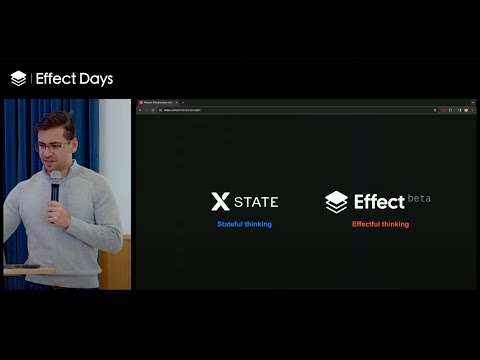
So if you're coding a workflow, whether it's on the back end or if you're coding a multi-step form on the front end, it's super important to say, this is the flow. Here's all of the steps. Here's everything that could happen at each step. And here's all of the paths that a user could take. And same thing with effects. When you're modeling effects with Effect, you should be able to declaratively say, this is going to retry. This is how much concurrency we have. These are the effects that are going to happen without forcing someone to read hundreds of lines of code, like Johannes showed earlier. So that's why I think that combination is really, really powerful. And using visual representations, whether it's diagrams generated by Stately or telemetry traces generated by OpenTelemetry using Effect, extremely helpful. So just think beyond the code. And so that's why I think that XState and Effect are a great combination using XState for that stateful thinking, so that higher level of abstraction, thinking through all of your user flows, and Effect for thinking about everything that happens within those Effectful parts of your application.
So with that, thank you very much. (audience applauds)
Related talks
-
Effective State Machines with XState
Effect Miami 2 (meetup), 2026. 29:40, 3K views -
Webinar: State Machines and Actors with XState v5
Stately webinar/stream, 2024. 2:42:16, 7.5K views -
Everything is an Actor
React Finland Mini-Conference #2 (2020). 44:49, 11K views -
JS Party #191 Live!
JS Party #191 Live (Changelog), 2021. 1:13:58