Behind the Illusions: Impossibly High-Performance Layout Animations
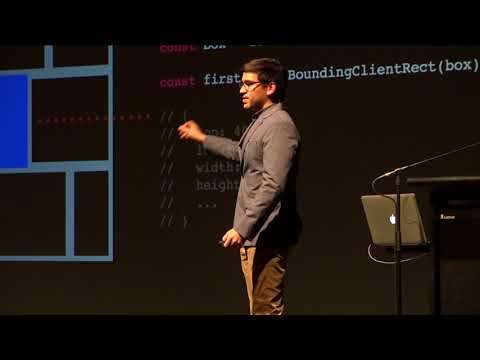
Watch on YouTube (CSSConf Australia)
What is this talk about?
Have you ever wanted to dynamically animate layouts without sacrificing performance? In this talk, innovative illusions will be revealed that will transform your static user interfaces into lively, intuitive experiences for your users at 60 frames per second. We'll investigate even the most complex animated layouts and discover how certain techniques, such as FLIP, containment, clever transforms, (From the video description.)
“Animations bring user interfaces to life native application developers know this intuitively, and that's why they pack, you know, every single app that you interact with.”
“You sort of have to, you know, find a way to animate it smoothly, without touching height or width or position.”
From the opening of the talk.
Key takeaways
- You sort of have to, you know, find a way to animate it smoothly, without touching height or width or position. 6:00
- Instead of animating width and height, I'm actually animating, transform and adjusting the elements based on that. 9:00
- Flipping is meant to bring flip animations and the technique to the wider community, and to make it a lot easier to make these animations. 18:00
- We have the background element that's stretching, and we have this text element that also has a data flip key on it. 21:00
Quoted from the transcript.
Full transcript
From YouTube auto-captions. Punctuation and capitals were restored automatically. Technical terms were normalized; some errors remain. 3,590 words.
0:00 Introduction
Well, I hope you enjoyed the first disappearing act of the entire conference. I love how big the crowd is, I love how big the screen is when it actually works, like it actually fit. Bend selectors in here, so that's pretty great. Animations bring user interfaces to life native application developers know this intuitively, and that's why they pack, you know, every single app that you interact with. Full of animations that not only delight the user, but they also make the app as easy and intuitive to use. So the question is, how could we bring those types of animations over? - well, the web now, I don't really like talking about myself, so instead I'm going to talk about for people who really influenced me early in my career. And that's Manuela, Rachel, Nabors, Leav, Aru and Bellhead. When I was first starting web development, I'm sure you've all seen the site, but there's an awesome site called Co Drops, where there were these amazing demos.
And the ones that really struck me up. And most were the ones that didn't look like your typical web sites, they were the ones that filled up the screen. They transform smoothly from one state to another. And even though these, believe it or not, we're about, you know, four or five years old. I think this is from 2014. To me and to many others, it seems really ahead of our time. Even now, like, you see these animations and you're like, why? Why don't you know? Most other websites and web applications have these types of animations? And it really influenced me, too. I have a backup, don't worry to make animations such as this.
2:00 Houdini's greatest magic tricks right now are escaping from CSS constraints…
This was one of my first code pens I've ever done. I saw a dribble and I wanted to recreate it. And at the time, I wasn't really good at JavaScript, so as you could see, there's no JavaScript there. And I try to do it completely in CSS. And so I did this with a few other concepts, even once that really should use JavaScript's like this one right here. But when I, when I made these, I'd start discovering little techniques and little strategies, especially working just in CSS. And I started to think, like, Oh, you could make like these awesome effects, you know, either without using JavaScript. Or with using the most minimal JavaScript necessary. Now I know this talk is, you know, names, beyond the allusions. However, I'm not going to be talking about Houdini, that's gonna come later. And, you know, for all intents and purposes. Houdini's greatest magic tricks right now are escaping from CSS constraints, which is why it's called Houdini, and sort of disappearing from browsers.
At least for the next five years, I mean, we'll see if that changes now. CSS is truly magical. I mean, think about it, you could make things floating midair, right? You can make things disappear. In fact, you could even do incredible things like vertically centering things, so CSS is magic. And I want you to stop calling, you know, just weird CSS quirks and, you know, things like hacks. Instead, let's call them illusions, because CSS is completely visual, so in essence, they are illusions. Now today, we're going to be talking about in revealing the secrets behind animating position without animating top, right, bottom, left.
4:00 First you get the initial position of the element
And some of you may know why. We want to avoid those properties. Also in mating size without directly in meeting with our height, and meeting gradients without meeting color, which causes repaints in the meeting. On curves without using motion or offset paths, which aren't fully supported in all browsers, and also animating border-radius without fear. So our goal is 60 frames per second. I mean, you've heard this a lot, right? You've heard that. You should avoid layouts and use transforming the opacity whenever nest, whenever you can, avoid repaints, which is where you could use opacity. But the thing is that you should mostly avoid being dogmatic. Just because you're told that you should avoid these things doesn't mean that you have to 100% avoid them. The most important thing that you could do is measure, open up your dev tools and make sure that. Even if you are animating border-radius or you have to animate color somewhere instead of doing a whole ton of CSS just to achieve that effect without touching repaints or layout, just measure, because, chances are, you might get 60 frames per second anyway.
And so this is sort of the thinking that, you know, I, I. That went behind, like making all of my animations and all my demos, was I didn't really measure immediately from the. Start, but it was more incremental, where if I know that something was slow, that's when I measured. So one of the main concepts that we're gonna be talking today about is called the flip technique, and this is a type of animation that we want to achieve. Imagine a gallery view or a music app like this, something very Google material. Where you. You have one element and it smoothly goes from point A to point B. But the difference is you don't know where those point A and point B places are. So you sort of have to, you know, find a way to animate it smoothly, without touching height or width or position. And the flip technique was coined by Paul Lewis of Google, and it stands for first last invert play.
This is sort of an the mnemonic fur for remembering, you know, the steps involved in doing this. So first you get the initial position of the element. In this case, it is you use get bounding client rect, and actually this is wrong. You could take the element, the box elements, and then there's a method on it called get bounding clients frets. And in this, you get the position which is top left, and you also get the side which is the width and height. This is going to be your favorite method for doing these sorts of layout animations, because it gives you absolutely everything necessary to perform your animation. And then you perform your change. So let's say we go from View A to View B. That's when you get the bounding box of the last element, in this case, it's going to be bigger and it shifted up a little. Here's where the map comes in, and I promise, it's elementary math.
Nothing crazy. But we take the DeLtas, which is the difference between the first and last value of both the position and the width and height. And using those values, we could take the second element over here and we could squish it back down to where the first element was. So we create the illusion that the second element didn't move yet, and then we just animate everything to zero. So using transform, first we scale it to make it down to the first size, and then we translate it to, you know, make it to. The original position, and then we animate everything to zero and it bounces right, the second position. Now you, you could do this like relative to the document. But sometimes you're going to have more than one elements in the meaning at the same time, and those elements, you know, might be nested. So, for instance, let's say that I have an element in the box right here, and the parent box is moving, but so is the child element.
What we want to do in order to prevent any glitches is we have to do a little bit of math, and this is what I like to call relative flipping. So what we would do is we would measure the parents Delta and the child Delta, and then we would calculate the Deltas relative to each other. So instead of calculating how this orange box moved from there to there, we first move the parents and then calculate relative to the parents how it moved from here to there. And so I'd like to call this technique like the flip-flop technique. You laughs. Invert play, first, last outer play so that you could, you know, observe the outer Delta as well as the inner Delta. But we're in Australia, so I'm going to call it the Fung technique. Transform hierarchies of nested groups. It's shorter, easier to remember. All right, that face. So here's sort of what we're going to be working with today.
And these types of flip animations can be exhibited anywhere. And you know, now that you know this, and now that you know about the flip technique, you're going to start seeing them everywhere. So here's one animation that I made, where I'm literally just changing the layout of the house. And instead of animating width and height, I'm actually animating, transform and adjusting the elements based on that. And also here's another one which is a little bit more dynamic. So and this is sort of doing the same thing where I'm using these flip animations to animate from one layout to the next. Now, to get to these, we have to go through a few CSS patterns the first one is predictable layouts. Now, this is something that, you know, most of you will know. It's actually amazing how many times I see projects that don't have, like box-sizing, border box, it's more. Expected to maybe not have everything positioned relative.
Honestly, this is one of my sins. Do not do this, I do this because I'm lazy. So you will see in all of my Co pens. This is probably the most controversial thing you'll see in this entire conference. Is this position:relative everywhere? You know, don't do it. But it does give me predictable layout because I know that my child is always going to be positioned relative to the parent, so I know stacking context, blah, blah, blah. Also smooth easing this Cubic Bezier thing. I always see the most random numbers in there. It does not have to be that complicated. I only use points five and one, and you could get a variety of exit easy from that, and they just work fine. So doing it this way, it actually makes it easier to visualize the Cubic Bezier curve, you know, as two dots, where it's either 0.5 or it's 1.
And then you could just sort of visualize that curve. I also used layered grids. Now Brenda's gonna be talking later about CSS grids today. So using grid is pretty much the best life hack for CSS that I found so far. Because you could take some layer which is absolutely position. And you could stack the grids on top of each other and then animate them independently so you don't have to deal with layouts fighting with each other.
12:00 You would add a data flip key to one element…
Also, background elements this also might be a bit controversial, but you could use a separate div or a pseudo element as a background elements. The reason why I like to use the separate element is because I could actually add a box shoutout to it. And that way, we could animate opacity instead of animating height, and so that's a point over here. There was a really great article by Tobias Allen. IT when pronouncing that correct, where he found that if you instead of animating the box Shadow property, you animated opacity on box Shadow. You get a really similar effect at a much less performance cost. Also, something that is very important, and I've given talks about this before. I'm not going to talk too much about this because it would take the entire time. And I've ever I used 25 minutes of wrestling with my computer. But it's finite state machines that's representing. Your app in one state at a time, so all you need to know about, you know how I use state machines in CSS is. I have this data attribute called data states, and using that data attribute, I can make sure that there's only one attribute or one state at a time, and we can't have multiple states.
So let's get started with a few tricks. The first one is right over here. Border radius, so I'm actually animating paint here. But the trick is we want to animate the border-radius in a way that we don't get this effect. Right here, you see how the border radius jumps when we're scaling up the element now, the quick solution to this is to animate height and width. We want to completely avoid that, so instead let's make it smooth, just like that. And, believe it or not, this only animates paints, and we're avoiding and meaning layout, which, you know, gives us a considerable performance boost. So the way we do that is first identifying. The problem here is that when we scale the elements and we squish it, we see that there's a bit of overlap between the last border radius and, you know, the first one. So what we could do instead is animate border-radius.
And there's a little bit of math here, but essentially, instead of, you know, laying this border radius B. We're going to stretch it a bit based on how much the width and height changed, and so that's going to give us this effect. For instance, this element, it grew twice as wide and one and a half times as tall. And so we could use those measurements in the border radius in order to stretch it to. You know, make up for, you know how much it was squished, and then we get a nice, smooth border-radius animation. So next one right over here, so you'll sort of see the secret to this, you know, really quick over there. But it's getting these smooth animation curves without having to use offset path or motion paths, or even any JavaScript like that, so these curved motion paths can be done using inverse rotations.
This looks a little bit crazy, like your geometry homework or something like that, so I'm going to sort of make this easier to understand. The trick is that. We are moving the, we're moving the transform origin, and we're rotating on the transform. Or so, if you could visualize that, imagine this orange rectangle moving along this circle. And so by doing that, we could animate it to any point we want. By both moving it that way and then translating it back to, you know, its next position. And so that's one way to do these motion curve animations. All right, more sad faces. So here's the next one expansion and collapse. This is not my pen, this is a pen by a friend, Shaw. And so what's happening over here is that we're expanding each of these panels to full width, and it's this really nice effect. No JavaScript involved. Normally, we would see something like this and say, Ah, we probably have to use clip path, or we have to animate width and height or something like that.
However, if you really, really, really want to animate width and height, then there is a way to do it. And that's called CSS containment. What containment is? It was originally in Chrome, it's in a few more browsers right now, but we could tell the browser that. Even though we're going to be changing the width and height of something, that the only thing that's going to be affected is that element. And so, if we say contain layout, we tell the browser ignore any other possible changes. So, to most browsers except I in an edge, it's in Firefox under a green flag. I in an edge probably have a white flag. Because they gave up on it. But there's also another technique, it's a scaling and inverse scaling. This is an interesting technique because it was actually talked about by Paul Lewis and other people on the Google team. And so what's happening over here, you probably. That is that the parent is expanding, while the child, since it's being expanded too much, it's collapsing at the same time.
Now. This requires a lot of JavaScript if you want to do anything besides a linear. And you can't exactly animate to zero, because you can't divide one by zero in CSS or JavaScript. I would hate to see, you know what that would be like? There's also sliding layers, and this one requires a parents layer. But if you do offs overflow:hidden. On the parent layer, and then you move the child layer just to the right position. You could get that expanding effect just by animating them back to zero, and that was a technique that we were using in the pen that I showed you. There's also clip path animations, this one does trigger repaint, so again, you could use contain paint, or you could measure and you could see. Is this going to really affect my performance that much? So, I actually have been working on the library for a long time, called flipping, just because that's a really fun name for a library.
And flipping is meant to bring flip animations and the technique to the wider community, and to make it a lot easier to make these animations. So to give you an idea of what it's like. You would add a data flip key to one element, and you would have the same data flip key on another element. So you can imagine that this view might be disappearing, and then this view might be appearing using flipping. We tell it, you know, just via the flip technique. We say, first read, you know, the first position. And then do something that changes the layout. Such as, you know, selecting a photo, and then you do flippin dot flip, which is really fun to type out, but what that will do is using an adapter. It will automatically animate your layouts from one position to the next. And so it does that by selecting the currently visible element and then just animating to it.
By calculating the Deltas for you, so you don't have to do all that manual work automatically. And just to give you an idea what this was like, I previously made a an article where I had this sample gallery app and I had no animations on it whatsoever. I added those data food cues to the right place and let's search for what's a safe search. Melbourne, Australia. And then you see that the every single element with those keys animates, you know, exactly to you know their position. So if we had this, I didn't know you guys had polar bears, but anyway. So, using the data flip key, it will keep track of the positions of each one of those visible elements. And so, for example. Over here, these are two completely different elements. The only thing they have in common is that data flip key. And so it knows that whenever you go from one to the other, it will just animate that for you.
Here's another demo I made earlier, where I added the data flip key to each letter just to see what happened. And you get this really, really cool effect where the letters animate, you know, right into place. And then this morning I was up at 4 because 4 o'clock is like 1:00 p..m.. my time. And I'm still on my time, which is a bad idea. I shouldn't have done that, but I created this animation, which also uses flip. Let's say I want to edit my week, get rid of these, and now I have a nice long weekend. And so the animation of that Sunday card is done using the flip library, and it's animating both. We have the background element that's stretching, and we have this text element that also has a data flip key on it. So whenever it changes, it knows to calculate the Delta and move smoothly from one position to the next.
22:00 I just released about an hour ago version 1 of Flipping…
And so I just released about an hour ago version 1 of Flipping and so you could download it now and you can play around with it. There's, there's two, almost three adapters right now. First is flipping. That's a very small version of the library, where whenever something changes, it just gives you all this data. This is everything you could possibly want to create. These animations. Flipping dot web uses the web animation API, which works in both Firefox and Chrome if you're using Safari. Hopefully they get the web animations API working soon and pretty soon I'm going to be releasing Flipping dot CSS J's, which uses CSS variables in order to control your animations. And so I'm going to leave you with one of my favorite quotes from one of the people who influenced me the most when I was starting early on. Rachel. Neighbors where? But there is power, and animation, the power to create experiences that go beyond mere links documents HTML, the power to immerse users in an illusion of life, because animation brings user interfaces to life. So thank you very much, CSS Comp. Here's a bunch of resources for you.
[Applause].
Related talks
-
Getting Sassy with Node.js
Node.js official channel, 2015. 22:29 -
CSS Animations and Transitions
Frontend Masters course preview, CSS Animations and Transitions, 2023. 17:02 -
How to Create Smooth, Lightweight Website Animations
Prismic, 2020. 12:45 -
Animations: Use CSS or CSS-in-JS?
Prismic, 2021. 9:22